€395,0002-bedroom apartment · Marina Quarter
Branded floor plans on every portal.
Get noticed on the portals and get more clicks. Paste the XML feed you already send to a portal, put your logo on a card, and get the feed back with the cards in it.
Before · the portal today, every plan alike
€248,0001-bedroom apartment · Old Town
€610,0003-bedroom apartment · Hillside
€412,0002-bedroom apartment · East Coast
€585,0003-bedroom apartment · Harbour
€231,0001-bedroom apartment · Centre
€368,0002-bedroom apartment · Riverside
€259,0001-bedroom apartment · Marina Quarter
€640,0003-bedroom apartment · Hillside
After · your listing through Propcore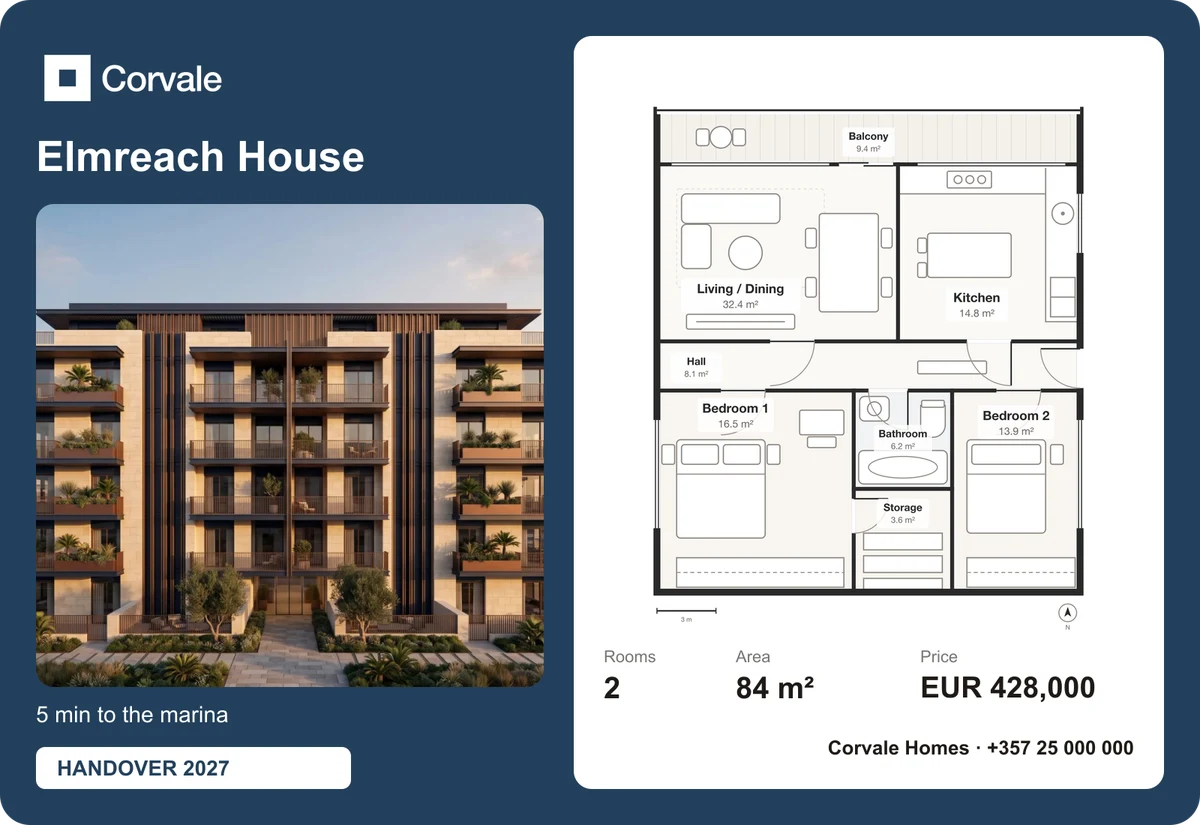
How it works
Paste the feed, choose a card, get a new feed.
01
Paste your feed URL.
The same XML you already publish. Propcore reads it and finds the floor plans.
Feed URL
Ready · 48 units · 120 images · 46 floor plans found
02
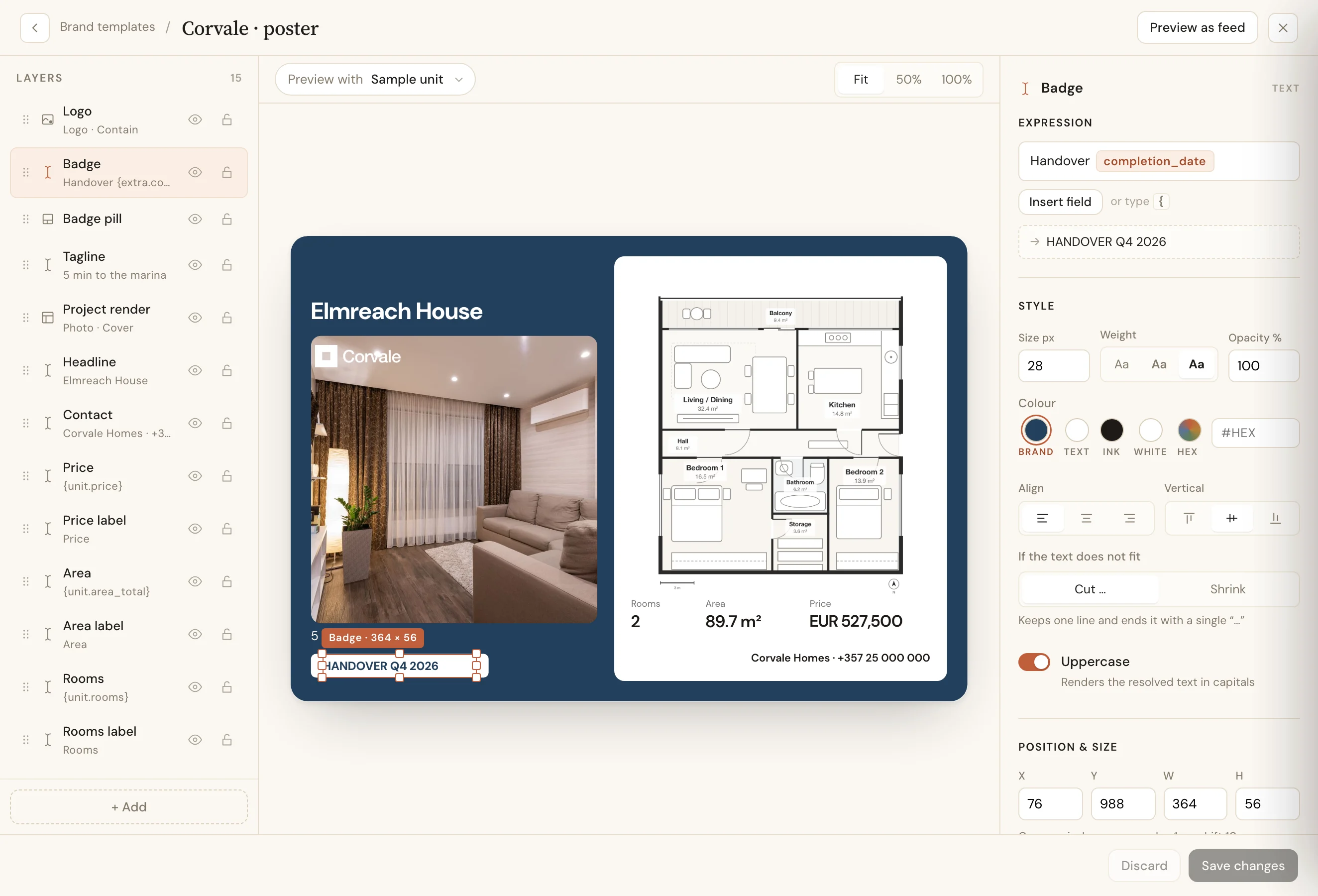
Pick a card layout, or design your own.
Six layouts come ready. Open one in the editor to move any block or add a line from a field in your feed, and check it on your own units.
03
Get a new feed URL.
Put it into the portal in place of the old one. Every plan in it now carries your card, with the current price.
Your new feed URLhttps://feeds.propcore.ai/corvale.xml
46 cards ready · refreshed every hour
What you get
What changes for you
More clicks and more enquiries.
On a results page of grey drawings, the plan with a logo and a price on it is the one people open. Forwarded or screenshotted, it keeps your name and number.
The price on the plan is the price in the feed.
A price change in your feed becomes a new card at the next refresh. Every unit gets one, not only the few a designer did for the launch.
The card is drawn from your feed.
Rooms, area, price, the handover date, the view: anything your feed carries can be placed on the card. A line whose field is empty is left off that unit.
Your feed and photos stay as they are.
Only the floor plan image is swapped for the card. Every other field, price and photo passes through as it came.
Works with every portal that reads an XML feedPortals differ in what they allow on images. Check your portal’s rules and pick a layout that fits them.
Objections
Questions developers and agencies ask before they try it.
You give Propcore a feed URL, a logo and a card layout. You get back a feed URL with branded plans in it.
Something we missed? hello@propcore.ai
Every portal has its own image rules: some allow a branded plan, some allow only a logo, a few allow nothing on images. Check your portal’s rules first and pick a layout that fits them. Propcore brands the plan and leaves the photos alone.
More use cases
Bulk repricingReprice a selection of units in one step, with every new price previewed.Development software for salesUnits, prices and availability for the sales office, from the price list you have.Marketing platformWebsite, portal feeds, price lists and promo pages made from the inventory.Stacking planThe building as a grid, coloured by what is still for sale.Website builderProject websites on your own domain, with live prices and availability.CRM integrationUnits, prices and statuses inside the deals your reps already work in.