Pipedrive integration
Pipedrive for real estate developers
Your sales reps pick units with today’s price and status without leaving the Pipedrive deal.
What it is
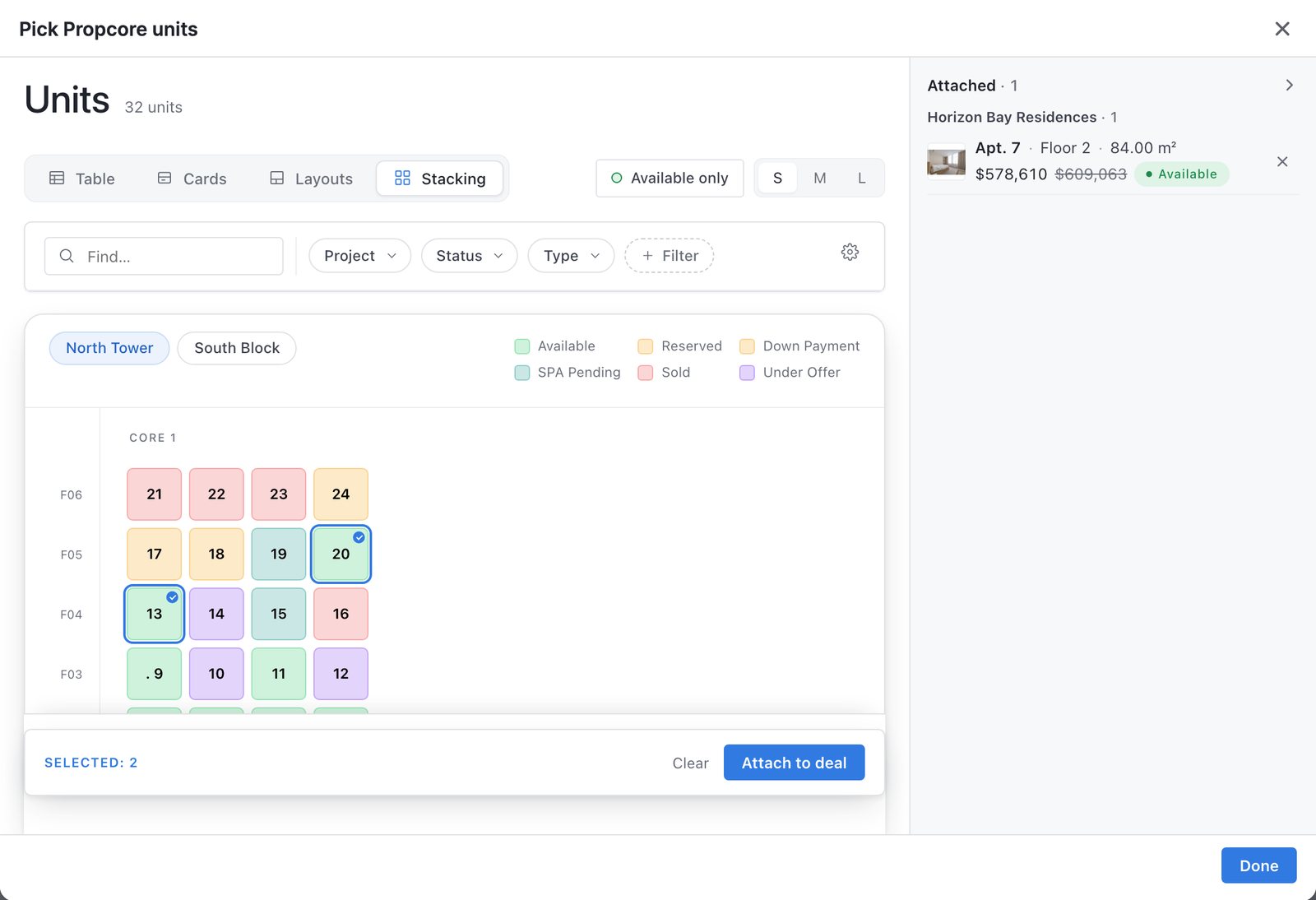
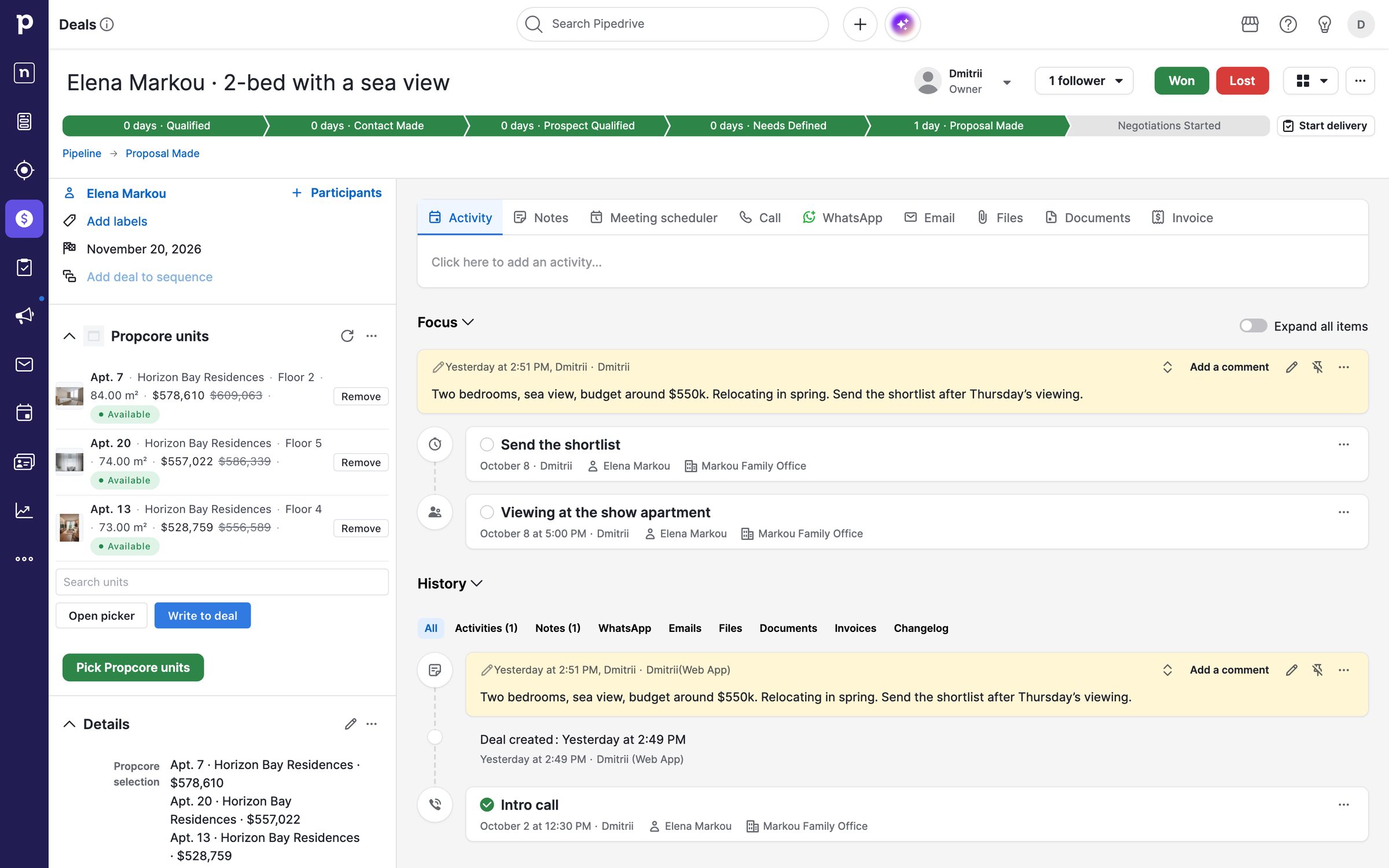
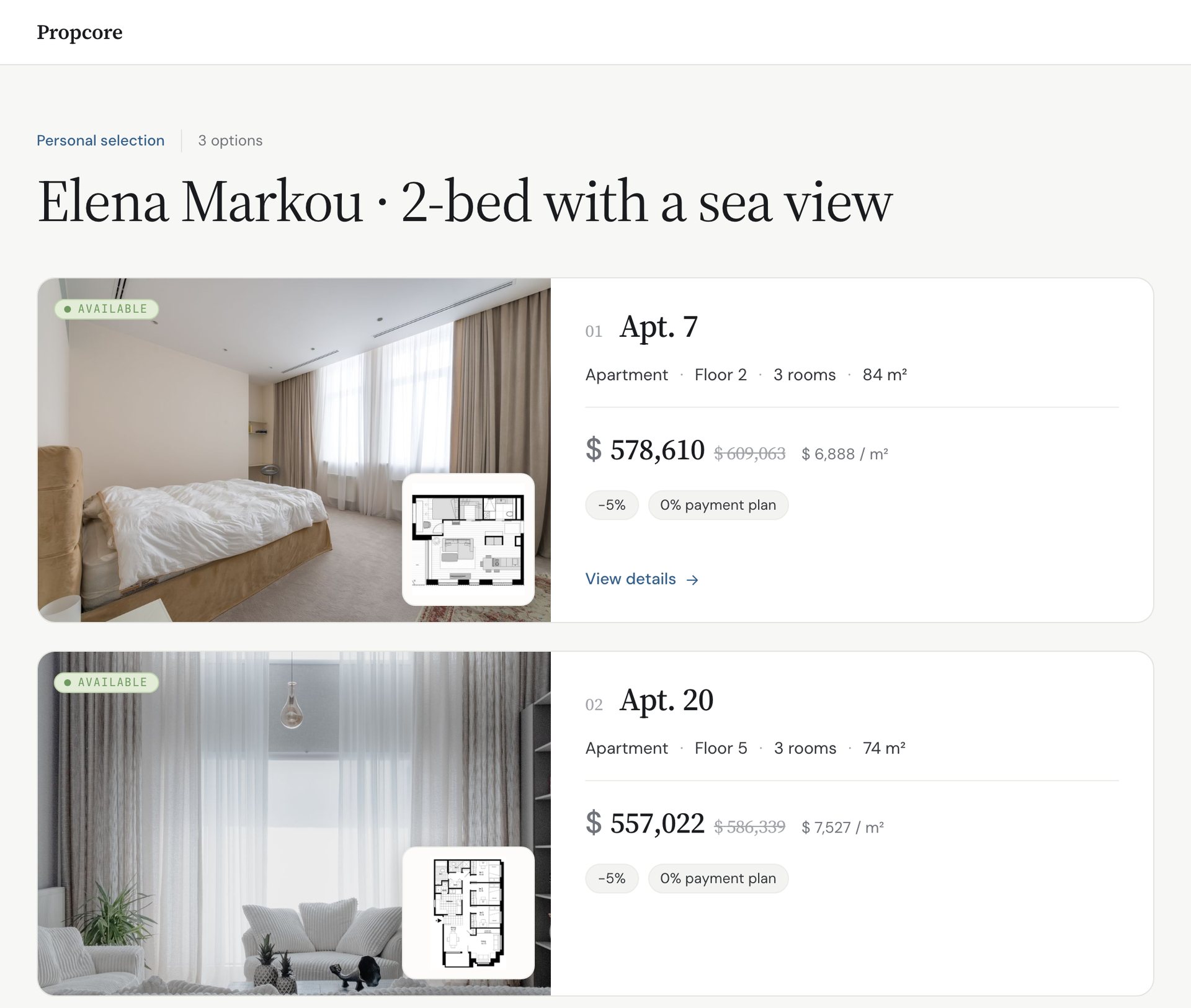
Propcore for Pipedrive is an app for property developers whose sales teams work in Pipedrive. It adds a panel to every deal with the units attached to it, a picker for the live inventory as a table, cards or the building’s stacking plan, three deal fields with the shortlist, and a page for the buyer.
Pick units in the deal.
The units stay on the deal, next to the notes and the next viewing.
The buyer opens a page with the units, their plans and today’s prices.
Setup
Connect once.
The app asks Pipedrive for Deals and Deal fields, to write three fields on a deal. It reads nothing else. The picker shows what the Propcore user who connected may see, and other buyers’ contacts never reach Pipedrive. To disconnect, use Propcore Admin, or remove the app in Pipedrive as the person who connected it. The deal fields keep their last values.
Questions: hello@propcore.ai
- 01Install from the Pipedrive Marketplace, or open Propcore Admin → Integrations → Pipedrive.
- 02Connect, then Allow and Install in Pipedrive. The three deal fields are created for you.
- 03Choose what the picker offers and which fields the panel shows.
- 04Open a deal. The panel is there.
More use cases